 Pencily
Visits
Hairdresser · beautician · barber · practice
A set time, a service from your price list and how long it takes. Clients pick a free time.
For anyone who takes in people or jobs
You write like in a paper notebook, and your clients see your free times at pencily.app/your-name — nothing to install, no account to create.
On an iPhone or a computer, Pencily works in the browser.
One Notebook, three ways of working. Pick the one that fits what you do.
Hairdresser · beautician · barber · practice
A set time, a service from your price list and how long it takes. Clients pick a free time.
Workshop · cobbler · laundry · repair shop
A job with a drop-off time and, when it is ready, a text message saying it can be picked up.
Kebab · bakery · catering
Orders for pick-up windows; each window takes as many orders as you set.
Every trade works differently. See how the Notebook and the page look for you.
The day's hours, breaks and entries — in the phone app or in the browser.
At pencily.app/your-name they book themselves or ask in the window.
You send a confirmation, a reminder or another time from your own phone — the wording is ready.
The entry has the name, number and service, and the client gets a link to their visit.
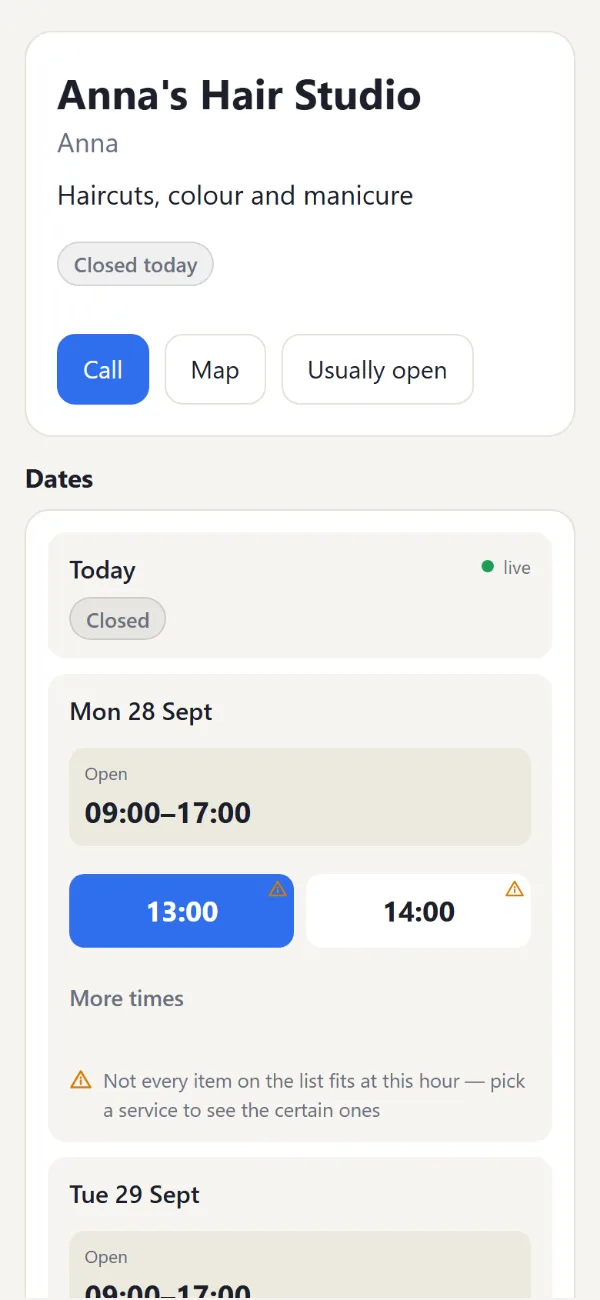
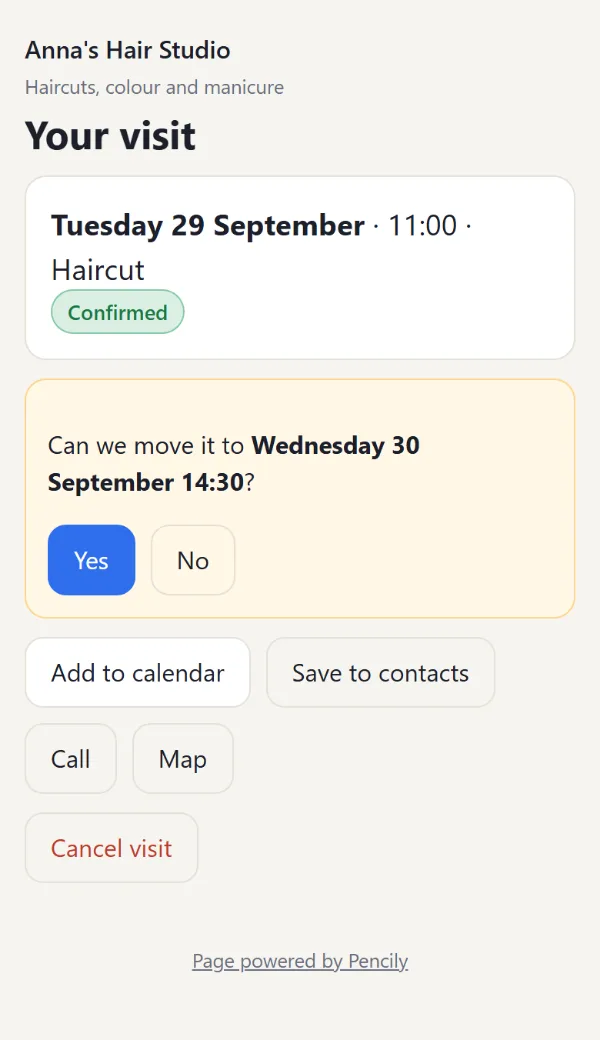
This is how the pages look on a client's phone. They open in the browser — no app, no account.
Free times for the coming days, prices, phone and map. The client picks a time and gives a name and number; you confirm with one tap. Trusted clients are confirmed automatically.
After booking, the client has a link to the visit: add it to the calendar, save you to contacts or cancel. When you suggest another time, they answer with one “Yes” or “No”.
Ready wording for confirmations and reminders, sent from your number.
The client answers “Yes” or “No”, and after “Yes” the entry moves by itself.
Clients write from your page, you reply in the Messages tab.
A photo of the result or the fault stays with the entry; send it to the client by text.
Clients save you to their phone contacts with one tap.
Code to paste into your own website (e.g. WordPress) — bookings work there too.
A page with a description, address or price list is submitted to search engines.
The Notebook works from the first tap. Your page turns on when you add an e-mail.
The Notebook in the app is free forever. The plan only changes how many clients your page takes in.
The Notebook, clients, text reminders, summaries and a copy of your data — no limits, forever. The page for clients too: 20 bookings from the page a month and 3 new conversations in the window a day; beyond that the page sends clients to your phone.
39 zł for 30 days or 349 zł for a year. Bookings from the page and conversations without limits. One-off payment in the panel (BLIK, Przelewy24, card), charged in Polish złoty (PLN) — your bank converts it at its own rate. No subscription.
A new account gets 30 days without limits. After that it moves to the free plan — nothing disappears and nothing is blocked.
No. The client opens your page in the browser, books and gets a link to the visit. No account needed.
Not to start — the Notebook works as soon as you open the app. To turn on your page for clients and to log in on other devices, you secure the Notebook with an e-mail.
Free: The Notebook, clients, text reminders, summaries and a copy of your data — no limits, forever. The page for clients too: 20 bookings from the page a month and 3 new conversations in the window a day; beyond that the page sends clients to your phone. No limits: 39 zł for 30 days or 349 zł for a year. Bookings from the page and conversations without limits. One-off payment in the panel (BLIK, Przelewy24, card), charged in Polish złoty (PLN) — your bank converts it at its own rate. No subscription. A new account gets 30 days without limits. After that it moves to the free plan — nothing disappears and nothing is blocked.
We keep only what a booking needs: name, phone number, time and messages from the window. The data is stored in the European Union, never sold or used for advertising, and you can delete it at any time. Details: privacy policy.
Yes. The same Notebook opens in the browser on your computer — the “Log in” button at the top of this page. The Android app is the handy way on your phone.
Yes. Paste one line on your site (in WordPress: a “Custom HTML” block): <script src="https://pencily.app/widget.js" data-slug="your-name"></script>, where your-name is the end of your page address on pencily.app. The booking window works there just like on pencily.app.
Open the app and write your first visit. Turn on your page for clients whenever you like.
On an iPhone or a computer, Pencily works in the browser.